|
|
||
|---|---|---|
| .. | ||
| digitalocean-1.png | ||
| README.md | ||


Deploying to DigitalOcean
This guide assumes that you have completed steps 1-3 from Getting Started and have a successfully build website in your html branch.
- Navigate to the Apps pane in your DigitalOcean account.
- Click Create App.
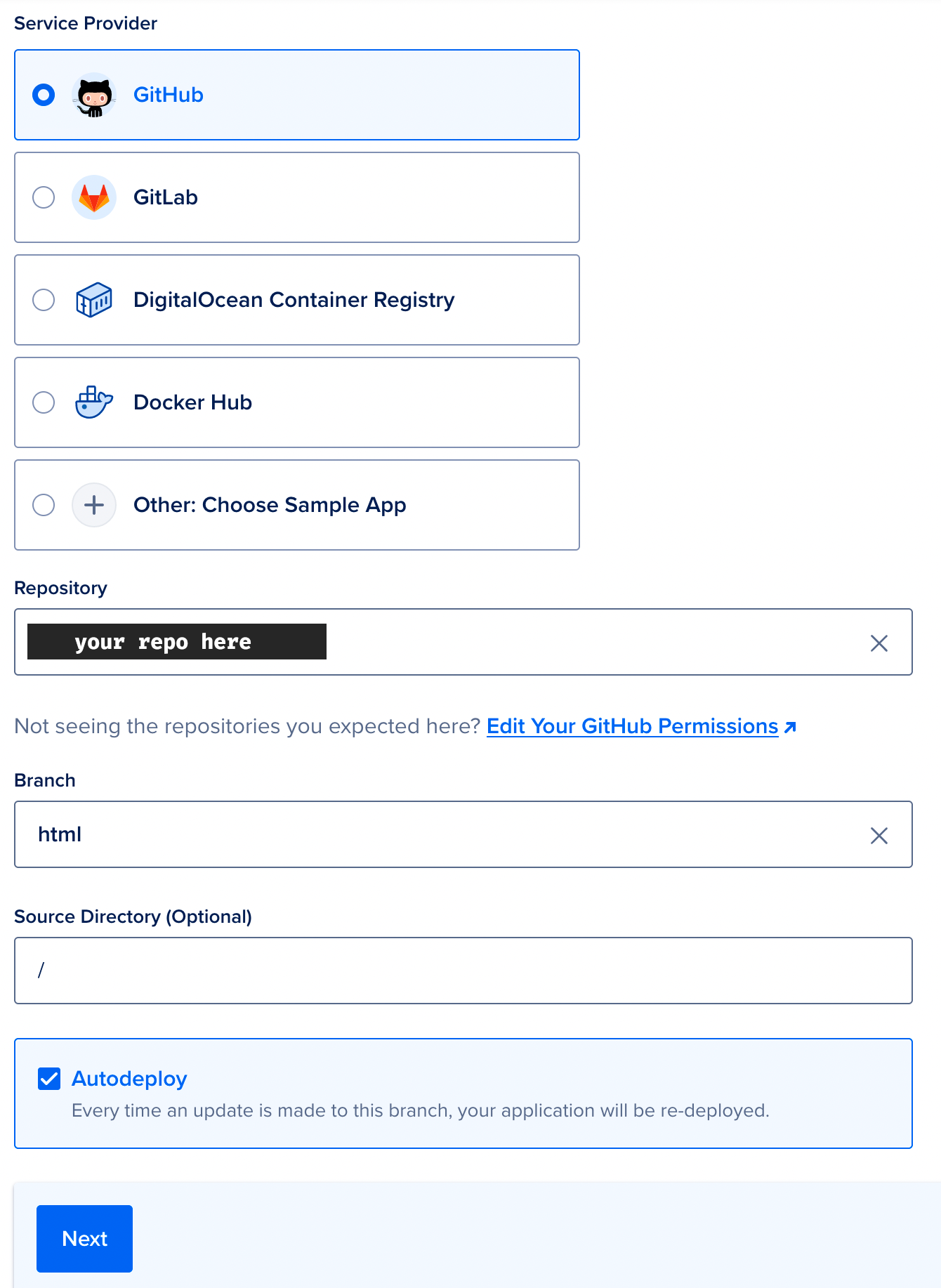
- Select GitHub as your source, select your repository, and define
htmlas your target branch. Leave/as your source directory. Leave the box checked next to Autodeploy so that your site will automatically pull new updates whenever you push a commit tomainin your Arise site repo on GitHub. Hit Next to proceed.
- Click Skip to Review to skip past all the other optional settings-- we don't need any of them.
- Click Create Resources.
Congrats! Your Arise website is now live on DigitalOcean. If you'd like to use a custom domain, please review DigitalOcean's custom domains guide as that is outside of the scope of this documentation.